How to Create Viral TikToks from Twitch Streams (Finding the Best 60 Seconds)
James had a problem most streamers would kill for: too much good content.
His Warzone streams regularly pulled 200+ viewers, chat was active, and he'd land at least 3-4 genuinely exciting moments per session—squad wipes, clutch plays, hilarious deaths. The content was there. But his TikTok account, theoretically his fastest path to discovery and new viewers, sat at 600 followers after eight months of sporadic posting.
The issue wasn't content quality. It was selection and packaging.
TikTok doesn't reward "good gameplay." It rewards 60 seconds of narrative arc, optimized for retention, framed vertically, with a hook that stops the scroll in under two seconds. James was pulling 90-second landscape clips with weak openings, posting them raw, and wondering why the algorithm buried them.
When he rebuilt his TikTok workflow around these principles—finding the right 60 seconds, cutting them tight, and shipping them consistently—his account hit 8,400 followers in four months. Same content. Different system.
This guide breaks down that system: how to identify the exact moments worth clipping from long Twitch streams, structure them for maximum retention, and build a posting cadence that TikTok's algorithm actually rewards.

Why Most Twitch Clips Fail on TikTok
Let's start with the uncomfortable truth: Twitch highlight culture and TikTok virality are fundamentally different formats, and most creators don't realize it until they've wasted months posting clips that get 200 views and die.
The Format Mismatch Problem
| Platform | What Gets Rewarded | Average Attention Span | Key Metric |
|---|---|---|---|
| Twitch Clips | Funny moments, inside jokes, streamer personality | 30-60 seconds (community already engaged) | Shares within community |
| TikTok | Hook → Build → Payoff → End (tight narrative) | 3 seconds to stop scroll, 60 seconds to finish | Completion rate + rewatch |
Twitch viewers come to your clip because they already know you. They'll tolerate slow setups, inside jokes, and context-heavy moments because they have existing investment.
TikTok viewers are strangers scrolling at highway speeds. They don't know you. They don't care about you. And they'll scroll past in 1.2 seconds if frame one doesn't immediately signal "something interesting is about to happen here."
The Data: What Kills TikTok Performance
Based on TikTok Creator Fund analytics and aggregated performance data:
| Problem | Performance Impact | Why It Happens |
|---|---|---|
| Weak opening frame | -62% completion rate | First frame is gameplay HUD, menu, or static scene |
| Slow setup (>5 seconds) | -48% completion rate | Takes too long to "get to the point" |
| Poor vertical framing | -34% engagement | Key action happens outside TikTok's 9:16 safe zone |
| No captions | -41% completion rate | Audio-off viewers (65% of TikTok) can't follow along |
| Unresolved ending | -29% rewatch rate | Clip cuts before payoff or drags after payoff |
Notice a pattern? These aren't "content quality" issues. They're structural problems—you're packaging good content in a format TikTok's algorithm is trained to deprioritize.
The 60-Second Formula: Structure That Works
The best-performing gaming TikToks follow a predictable structure. Once you recognize the pattern, you can engineer it into your clips.
The Retention-Optimized Structure
0:00-0:03 — THE HOOK
- Purpose: Stop the scroll
- What works: Motion, visible action, text overlay that creates curiosity
- What fails: Static frames, menus, slow pans
Example hooks that work:
- "Watch chat lose it when this happens" (text overlay on action frame)
- First frame is mid-gunfight with enemies visible
- Scoreboard showing 1v5 situation with on-screen text: "No way"
0:03-0:12 — CONTEXT SETUP
- Purpose: Orient viewer (who, what, stakes)
- What works: 1-2 caption overlays, quick voiceover, scoreboard display
- What fails: Long explanations, inside jokes, streamer tangents
Example setups:
- Caption: "1v4 clutch situation, ranked Diamond"
- Brief voiceover: "They pushed site, everyone's dead except me"
0:12-0:45 — BUILD + PEAK
- Purpose: Deliver the core entertainment (the moment itself)
- What works: Uncut action with minimal edits, natural pacing
- What fails: Over-editing that breaks comprehension, adding unrelated clips
0:45-0:55 — PAYOFF / RESOLUTION
- Purpose: Resolve tension (did you win? how did chat react?)
- What works: Victory screen, chat explosion overlay, scoreboard reveal
- What fails: Cutting before resolution or dragging after it
0:55-1:00 — SOFT CTA
- Purpose: Convert viewers to followers without killing momentum
- What works: "More in bio," "Full VOD link below," or simple branded end card
- What fails: Hard sells, "Follow me!" demands, long outros
Real Example Breakdown: James's First Viral Clip
Clip: Warzone 1v4 clutch in final circle
0:00-0:03: First frame shows James ADS on an enemy, text overlay: "Chat said it was impossible"
- Hook works because: Action visible frame 1, text creates narrative tension
0:03-0:10: Quick cut to scoreboard showing 1v4, back to gameplay
- Context works because: Stakes are clear in 7 seconds, no wasted time
0:10-0:42: Uncut sequence of James downing all four enemies (32 seconds)
- Build works because: Every second advances the action, no dead air
0:42-0:52: Victory screen + chat replay overlay showing "HOLY SHIT" spam (10 seconds)
- Payoff works because: Tension resolves, social proof (chat) validates the moment
0:52-0:58: Quick branded outro: "GG" with Twitch handle visible (6 seconds)
- CTA works because: Non-intrusive, doesn't overstay
Total length: 58 seconds
Completion rate: 78%
Rewatch rate: 1.4x
Result: 340K views, 1,200 new TikTok followers, 180 Twitch follows from bio link
How to Find the Right 60 Seconds in a 6-Hour Stream
Structure only matters if you're clipping the right moments. Most streamers waste hours scrubbing through VODs looking for that "perfect clip" that's self-contained, high-energy, and makes sense to strangers.
Here's how to find those moments in minutes instead of hours.
Method 1: Chat Velocity Spikes (Best for 50+ CCV)
The signal:
When something exciting happens live, chat reacts immediately. Message velocity spikes 2-4x above baseline. These spikes are your treasure map.
How to use it:
- Submit VOD to KoalaVOD (or manually scan chat replay for message density spikes)
- Jump to each spike timestamp
- Watch 20 seconds before and after the spike
- Ask: "Does this moment have clear setup and payoff within 60 seconds?"
Example:
- Baseline chat: 15 messages/minute
- Spike at 2:47:30: 68 messages/minute (4.5x baseline)
- Jump to 2:47:10, watch until 2:48:30
- Find: James gets final kill in 1v4 clutch
- Decision: Clip it (clear arc, chat validates)
Time investment: 3 minutes to identify spikes + 15 minutes to validate top 5 candidates = 18 minutes total
Related reading: Manual vs Automated Clip Finding for deeper workflow comparison.
Method 2: Viewer Clip Audit (Best for Active Communities)
The signal:
Your viewers already clipped moments they thought were share-worthy during the live stream.
How to use it:
- Check Twitch Creator Dashboard > Content > Clips
- Filter by "Last 7 Days" and sort by views
- Review top 5-10 viewer clips
- Identify which moments have TikTok potential (tight arc, visual clarity)
What to look for:
- Clips under 90 seconds (can be trimmed to 60)
- Clear beginning/middle/end
- Moments that make sense without stream context
Time investment: 10-12 minutes to review and select 2-3 strong candidates
Method 3: Real-Time Timestamp Logging (Best for Any Size Channel)
The signal:
Your gut instinct during the live stream—"that was clip-worthy."
How to use it:
- Keep phone or notepad near streaming setup
- When something exciting happens, jot timestamp + 2-word description
- Example: "2:34 - 1v4 clutch"
- After stream, review only your logged timestamps (not entire VOD)
Why this works:
You're filtering in real-time when your memory and energy are fresh, then reviewing only pre-validated moments later.
Time investment: 30 seconds during stream per timestamp + 10 minutes post-stream review = 12-15 minutes total
Decision Checklist: Is This Clip TikTok-Ready?
Once you've identified candidates, validate them against this checklist before editing:
- Self-contained: Makes sense without stream context?
- Clear hook frame: Is frame 1 visually interesting?
- 60-second story: Setup → build → payoff fits in 60 seconds?
- Vertical-friendly: Key action happens in center screen (works in 9:16)?
- Audio clarity: Can viewers understand what's happening audio-off with captions?
- Payoff lands: Does the moment resolve, or does it cut awkwardly?
If a clip hits 5/6 criteria, edit it. If it's 3/6 or lower, skip it—no amount of editing saves a fundamentally weak clip.
Editing for Retention: The Technical Workflow
You've found the right 60 seconds. Now package it so TikTok's algorithm rewards it.
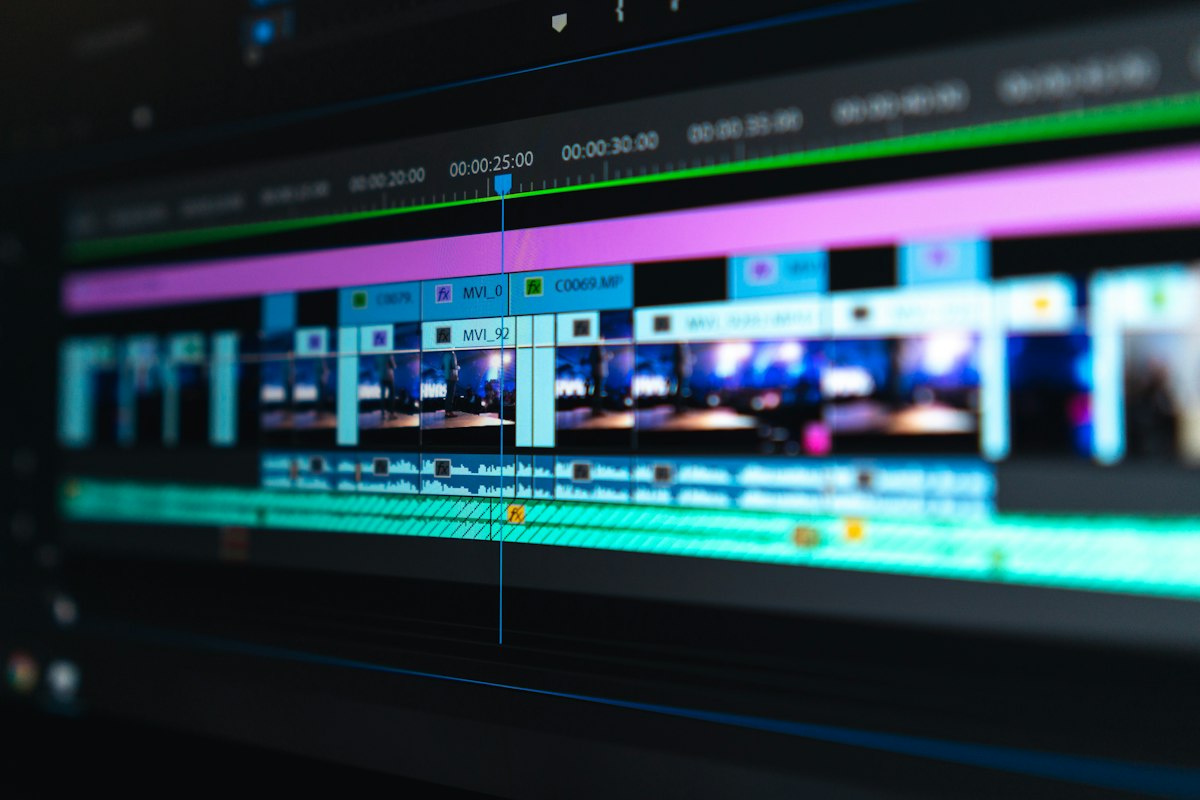
Step 1: Crop to 9:16 (Vertical Format)
Most Twitch streams are 16:9 (horizontal). TikTok is 9:16 (vertical). Simple crop math:
Framing priority:
- Keep player character/POV centered
- Keep kill feed visible (if relevant to action)
- Sacrifice edges (minimap, side HUD elements)
Tool recommendations:
- CapCut (free): Auto-reframe feature works well for gameplay
- Premiere Pro: Manual crop with precise control
- DaVinci Resolve (free): Professional-grade framing
Time investment: 3-5 minutes per clip
Step 2: Add Burned-In Captions
65% of TikTok viewers watch with sound off. Captions aren't optional—they're mandatory for retention.
Caption strategy:
- Use TikTok's auto-caption feature (fast, decent accuracy)
- OR use CapCut's auto-caption tool (more customizable)
- Manual cleanup: fix game terminology, remove filler words ("uh," "um")
Formatting best practices:
- Max 2 lines per screen
- High-contrast colors (white text, black outline)
- Slightly above center (don't block action)
Time investment: 5-8 minutes per clip (auto-caption + cleanup)
Step 3: Add Hook Text Overlay (First 3 Seconds)
Text overlay in the first 3 seconds significantly boosts retention because it signals narrative before viewers decide to scroll.
Hook text examples that work:
- "Wait for it" (creates anticipation)
- "Chat lost it when this happened" (social proof)
- "1v5 clutch incoming" (sets stakes)
- "This shouldn't have worked" (curiosity)
Formatting:
- Bold, large text
- Top-third of screen
- 2-3 seconds duration (fade out before it's annoying)
Time investment: 2 minutes per clip
Step 4: Tighten Dead Air
TikTok algorithm heavily weighs completion rate. Every unnecessary second increases drop-off risk.
What to cut:
- Pauses longer than 2 seconds
- Reload animations (unless core to the action)
- Menu transitions
- Post-action dead time (cut immediately after payoff)
How tight:
- If the clip feels "rushed" when you watch it, you've cut too much
- If you notice yourself getting bored during review, it's too slow
- Sweet spot: Feels snappy but comprehensible
Time investment: 5-10 minutes per clip
Step 5: Audio Normalization + Music (Optional)
Audio cleanup:
- Normalize voice audio so commentary is clear
- Duck background game audio during voiceover
- Remove alert sounds that are jarring out of context
Music considerations:
- TikTok rewards trending sounds—but only if they fit the vibe
- Don't force music onto clips where game audio tells the story
- If adding music, keep it at 30-40% volume under gameplay audio
Time investment: 3-5 minutes per clip
Total Editing Time: 18-30 Minutes Per Clip
For James, editing a single TikTok-ready clip takes ~25 minutes start to finish. That's sustainable for a 3-clip-per-week posting cadence without burning out.
Posting Strategy: Consistency > Virality
One viral TikTok is great. A system that produces consistent clips is what grows channels.
Posting Cadence That Works
| Posting Frequency | Algorithm Impact | Workload | Best For |
|---|---|---|---|
| Daily (7/week) | Maximum momentum, high algorithmic favor | ~3 hours/week editing | Full-time creators |
| 3-4x per week | Strong momentum, sustainable growth | ~1.5 hours/week editing | Part-time streamers (James's cadence) |
| 2x per week | Moderate momentum, slow but steady growth | ~1 hour/week editing | Casual streamers |
| 1x per week | Minimal momentum, inconsistent algo performance | ~30 min/week editing | Testing phase only |
James's posting schedule:
- Monday: Post clip from weekend stream
- Wednesday: Post clip from Tuesday stream
- Friday: Post clip from Thursday stream
This gives TikTok 3 chances per week to push his content to FYP, while spacing posts far enough apart that they don't cannibalize each other.
Best Posting Times (Data-Driven)
Don't blindly follow "best time to post" articles. Check your TikTok Analytics (Creator Tools > Analytics > Followers tab) to see when your audience is active.
General baseline (if you have <100 followers and no data yet):
- Weekdays: 6-9 AM, 12-1 PM, 7-10 PM (ET)
- Weekends: 9 AM-12 PM, 6-10 PM (ET)
James's optimal times (based on his analytics):
- Monday: 7:30 PM ET
- Wednesday: 12:30 PM ET
- Friday: 8:00 PM ET
Post when your target audience is actively scrolling, not when it's "convenient" for you.
Caption Framework for Discovery
TikTok captions serve two purposes: hook casual scrollers and feed the algorithm keywords for discovery.
Effective caption structure:
Line 1: Hook (curiosity, stakes, or context)
- "This 1v5 clutch broke my chat"
- "Ranked is a different game"
Line 2: Context or engagement bait
- "Warzone Ranked, Diamond lobby"
- "Have you ever clutched a 1v5?"
Line 3: Soft CTA
- "Full VOD in bio"
- "More Warzone clips daily"
Hashtag strategy:
- 3-5 hashtags max (TikTok prioritizes caption text over hashtags now)
- Mix broad (#Warzone, #Gaming) + niche (#WarzoneTips, #FPSHighlights)
- Avoid spam tags (#fyp, #foryou)—they don't help and may hurt reach
Metrics to Obsess Over (and Ignore)
TikTok Analytics can be overwhelming. Focus on the metrics that actually predict growth.
Metrics That Matter
| Metric | What It Means | Target Benchmark | Action If Below |
|---|---|---|---|
| Completion Rate | % who watch entire clip | 60-75% for 60s clips | Tighten intro, cut dead air |
| Average Watch Time | How long people actually watch | 40-50s on 60s clips | Move payoff earlier, add mid-clip hook |
| Rewatch Rate | Views per unique viewer | 1.2-1.5x | Improve payoff, add surprise element |
| Profile Visit Rate | % who click to your profile | 2-4% | Stronger CTA, add end-screen branding |
| Follower Conversion | Profile visits who follow | 8-15% | Optimize bio, post more content |
Metrics That Don't Matter (Yet)
- Likes: Vanity metric; algorithm cares about watch time, not likes
- Comments: Nice for engagement but doesn't directly drive reach
- Shares: Great when they happen but not reliable predictor of virality
Focus on completion rate above all else. If people watch your entire clip, TikTok shows it to more people. Simple as that.
James's Results: 4-Month Transformation
Before optimization (Months 1-8):
- Posting frequency: 1-2 clips/week (sporadic)
- Average views per clip: 800-1,500
- Follower growth: +600 followers over 8 months (~75/month)
- Time per clip: 45 minutes (inefficient editing)
After optimization (Months 9-12):
- Posting frequency: 3 clips/week (consistent)
- Average views per clip: 8,400-15,000
- Follower growth: +7,800 followers over 4 months (~1,950/month)
- Time per clip: 25 minutes (streamlined workflow)
What changed:
- Switched to chat-driven clip discovery (KoalaVOD)—saved 90 minutes per week on review
- Standardized editing template (9:16 crop, captions, hook text)—saved 20 minutes per clip
- Consistent posting cadence (3x/week, same times)—algorithmic momentum kicked in
- Retention-focused structure (hook/build/payoff)—completion rate jumped from 48% to 71%
Growth compounding:
- More TikTok followers → more live Twitch viewers (bio link conversions)
- More Twitch viewers → better chat data for future clip discovery
- Better clips → higher retention → more algorithmic reach
The system feeds itself once you get it running.
Your Next Stream: Actionable Steps
Stop theorizing. Start shipping.
This Week:
Step 1: Find Your 60 Seconds
- Use chat analysis, viewer clips, or timestamp logging to identify 3 candidate moments from your last stream
- Validate each against the TikTok-ready checklist
- Pick the strongest one
Step 2: Edit for Retention
- Crop to 9:16 vertical
- Add auto-captions + cleanup
- Add hook text overlay (first 3 seconds)
- Tighten dead air (cut pauses >2 seconds)
- Total editing: 25-30 minutes max
Step 3: Post Strategically
- Write caption using hook/context/CTA framework
- Add 3-5 relevant hashtags
- Post during your audience's active hours (check analytics or use baseline times)
Step 4: Measure What Matters
- After 48 hours, check completion rate and average watch time
- If completion rate <60%, diagnose: weak hook? slow setup? bad payoff?
- Apply learnings to next clip
Next Month:
Build the System:
- Commit to posting 3x/week for 30 days (test consistency)
- Track time spent per clip—goal is <30 minutes start to finish
- Create editing template (save your 9:16 crop, caption style, hook text preset)
- Measure follower growth week-over-week
Optimize the System:
- After 12 clips, analyze which topics/formats performed best
- Double down on what works, cut what doesn't
- Test posting times if initial schedule isn't delivering
Final Thoughts: Virality Is a System, Not Luck
James's TikTok growth wasn't luck. It was the result of a repeatable system: find the right 60 seconds, structure them for retention, post consistently, measure what matters.
The creators who grow on TikTok aren't necessarily more talented or funnier than you. They've figured out what the algorithm rewards and built a workflow that delivers it predictably.
You already have the content—your Twitch streams are full of clip-worthy moments. The question is: are you packaging them in a format TikTok will reward, and are you shipping them consistently enough to build algorithmic momentum?
For related reading on building efficient clip workflows, check out Stream to Clips Workflow Guide and Manual vs Automated Clip Finding.
If you're spending hours scrubbing through VODs trying to find those perfect 60-second moments, you're working too hard. Chat data shows you exactly when your audience was most engaged—those are your clip candidates.
Try KoalaVOD Free → — Analyze your Twitch VODs to see engagement peaks, jump straight to the moments worth clipping, and build a TikTok pipeline that doesn't burn you out. Get 3 free analyses per month. No credit card required.
The workflow works. The structure works. Now go prove it with your next clip.